Compare PDF Files Online: The Ultimate Tool for Efficient Document Management
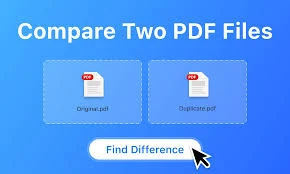
In today’s fast-paced digital world, documents are constantly being created, edited, and shared. PDF files have become the standard format for professional and personal documents due to their consistency, security, and compatibility across devices. However, when multiple versions of a PDF exist, it can be challenging to track changes and ensure that the most up-to-date information is available. This is where a Compare PDF Files Online tool becomes an essential resource for businesses, students, and professionals alike.
Why Do You Need to Compare PDF Files Online?
Whether you are working on contracts, reports, legal documents, or academic papers, keeping track of changes is crucial. Manually checking each page for differences can be time-consuming, error-prone, and frustrating. A PDF comparison tool automates this process, highlighting every change in seconds. This ensures accuracy, saves time, and reduces the risk of overlooking critical modifications.
Using an online tool also offers the convenience of working from any device without installing software. You can compare PDFs on your laptop, tablet, or even your smartphone, making it ideal for remote teams and professionals on the go.
How Does an Online PDF Comparison Tool Work?
A typical Compare PDF Files Online tool works in a few simple steps:
- Upload PDF Files: You start by uploading the two PDF documents you want to compare. Most online tools support multiple file sizes and formats.
- Automatic Comparison: The tool scans both documents and detects differences in text, images, formatting, and layout.
- Highlight Changes: Changes are highlighted clearly, often in different colors, to distinguish added, deleted, or modified content.
- Review and Download: Once the comparison is complete, you can review the changes, export a summary report, or download a highlighted version of the PDFs.
This process eliminates the need for tedious manual comparison and ensures that no modification goes unnoticed.
Benefits of Comparing PDF Files Online
- Save Time and Effort: Online comparison tools drastically reduce the time it takes to review large documents, allowing you to focus on analysis rather than manual checking.
- Increase Accuracy: Automated comparison reduces human error, ensuring that even the smallest changes are detected.
- Enhance Collaboration: Teams can quickly verify edits, approve revisions, and maintain version control without confusion.
- Work Anywhere: Cloud-based PDF comparison tools allow you to compare documents from any device, providing flexibility for remote work or on-the-go reviews.
- Cost-Effective: Many online tools are free or affordable, removing the need for expensive software or additional licenses.
Who Should Use a PDF Comparison Tool?
The benefits of comparing PDF files online extend across many industries and professions:
- Legal Professionals: Lawyers and paralegals often work with contracts, agreements, and legal documents that require precise version tracking.
- Corporate Teams: Businesses need to review reports, proposals, and internal documents to ensure accuracy and compliance.
- Academics and Students: Research papers, theses, and collaborative projects benefit from comparing revisions efficiently.
- Publishers and Editors: Editors can quickly detect changes in manuscripts, marketing materials, or content drafts.
- Freelancers: Designers and consultants working with clients can verify modifications to contracts, proposals, and creative documents.
Tips for Using Compare PDF Files Online Efficiently
To get the best results, follow these simple tips:
- Use Clear and High-Quality PDFs: Ensure your PDFs are not scanned as images unless the tool supports OCR (Optical Character Recognition).
- Check Tool Features: Some online tools provide additional options like side-by-side view, merged highlighting, or exportable comparison reports.
- Maintain Privacy: Use reputable platforms to protect sensitive information. Many tools guarantee secure uploads and automatic deletion of files after comparison.
- Keep Track of Versions: Name your files clearly and keep organized records to prevent confusion during multiple comparisons.
Table of Contents
Conclusion
A Compare PDF Files Online tool is an indispensable resource for anyone handling multiple document versions. It streamlines the process of identifying changes, improves accuracy, enhances collaboration, and saves significant time and effort. Whether you are a professional, student, or business owner, using an online PDF comparison tool ensures that you stay on top of your documents efficiently and effectively.
With the increasing reliance on digital documents, having access to a fast, reliable, and user-friendly PDF comparison tool has never been more important. Embrace the convenience of comparing PDFs online and take control of your document management today.kes, improve productivity, and make document management effortless. With the right tool, reviewing and tracking changes has never been easier.
